What is FastConnect? HELU's FastConnect ethernet cables
FastConnect is a quick-connect system for industrial ethernet and bus cables, allowing RJ45 or Sub-D connectors to be installed on-site without the need for crimping pliers or soldering. This article explains the system, benefits, and installation process of FastConnect, and introduces HELU’s FastConnect cable and connector lines.
Article content:
-
1What is FastConnect technology?
-
2Component #1: FastConnect cables
-
3Component #2: Stripping tools
-
4Component #3: RJ45 connectors
-
5Component #4: RJ45 outlets
-
6Benefits of using FastConnect ethernet cables
-
7Comparison of traditional method vs. FastConnect
-
8Applications of FastConnect ethernet cables
Quick Summary
- FastConnect (FC) is a quick-connect system for industrial Ethernet cables and bus cables. The system consists of three main components: a cable with an inner jacket, a preset stripping tool, and a connector using insulated displacement contacts (IDC).
- Installation instructions: Strip the cable using a specialized tool, arrange the conductors by color code, press the contacts into place, and close the cover. This process requires no crimping pliers, no soldering, and no need to strip each conductor individually.
- Benefits: Quick installation, minimizes connection errors, provides a stable, interference-resistant connection, does not depend on the installer’s skill level, and allows cables to be cut to the exact length on-site.
- HELU Solutions (SK Series): HELUKAT® PROFInet Type A/B/C and Cat.6A cables, PROFIBUS SK bus cables, stripping tools 801497 and 81233, RJ45 and Sub-D connectors
1. What is a FastConnect technology?
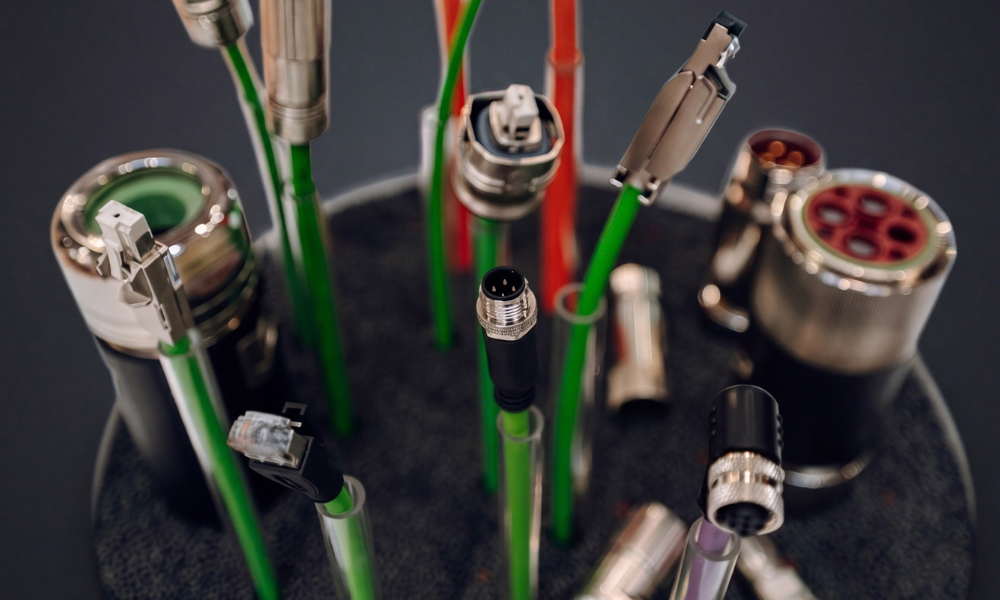
FastConnect (FC) is an industrial cable connection system that lets you fit connectors on site in just a few steps, with no soldering or crimping. The technology was developed by Siemens and is now widely used in Industrial Ethernet, PROFINET and PROFIBUS networks.
A complete FastConnect system typically consists of three main components:
- FastConnect cable: a cable with a special structure for precise stripping.
- FastConnect connector: an RJ45 connector, M12 connector or outlet with insulation displacement contacts (IDC) and color coding for each core.
- FastConnect stripping tool: a tool with preset dimensions that strips the outer sheath and the screen to exactly the right length in one step.
Compared to standard Ethernet cables , FastConnect cables have an additional thin inner sheath between the screen and the cores. This layer has no mechanical function. It stops the stripping tool's blades from touching the cores, so the outer sheath and braided screen come off cleanly while the cores stay intact.
2. Features of the FastConnect system components
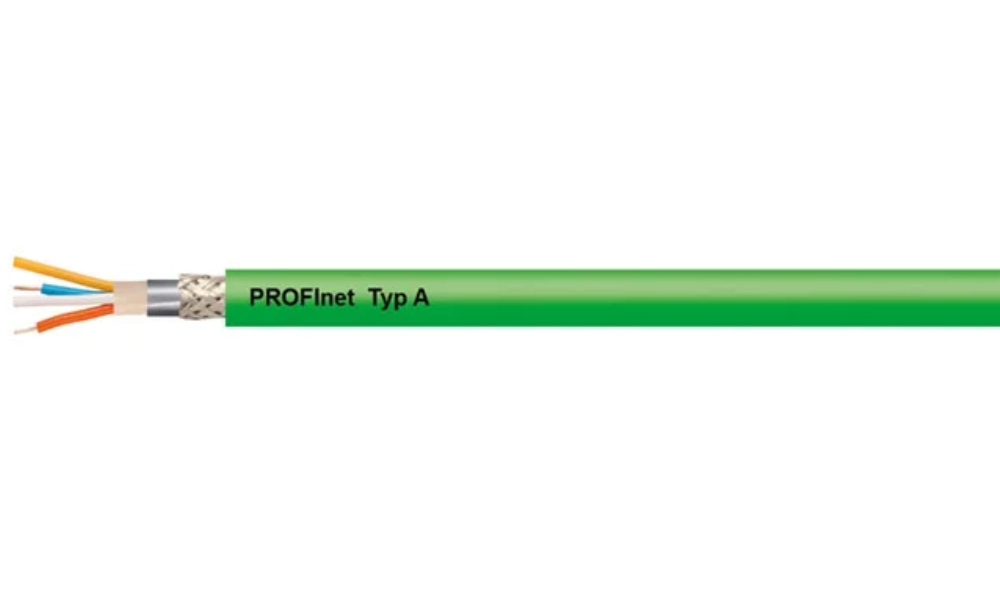
HELUKAT® PROFInet A CAT.5e SF/UTP PVC STATIC Ethernet cable, compatible with FastConnect, with an inner jacket
The FastConnect system consists of cables, stripping tools, RJ45 connectors and RJ45 outlets. All components are designed to work together.
2.1 FastConnect cables
FastConnect cables are used for Industrial Ethernet cabling in harsh industrial environments. Their main structural features are:
- The most common versions are 4-core (Cat.5) and 8-core (Cat.6) cables
- An inner sheath
- Double screening: tinned copper braid and aluminium foil
- Most cable ranges are UL certified, which meets the requirements for machines exported to North America
FastConnect cables come in three versions for different installation conditions:
- Standard cable: for most fixed installations.
- Flexible cable: for moving applications.
- Marine cable: halogen-free, flame-retardant and marine-approved, for ships and offshore installations.
There are also torsion-rated and robust versions, 2-core PROFIBUS FastConnect cables (up to 12 Mbit/s), and FastConnect fiber optic cables.
2.2 FastConnect stripping tools
The stripping tool strips the cable precisely in one step and prevents errors caused by stripping to the wrong length. The cutting depth and blade spacing are preset. As a result, the outer sheath and braided screen are removed to exactly the dimensions the connector requires. No measuring is needed, and the result does not depend on the installer's skill.
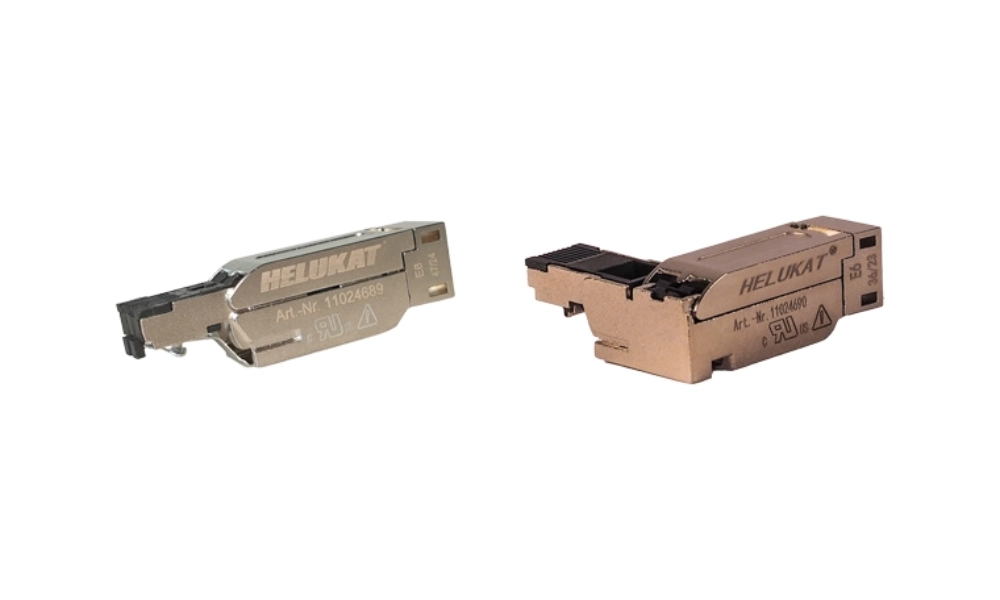
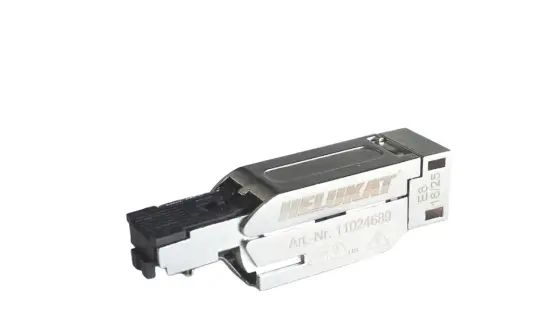
HELUKAT PROFINET® RJ45 connector
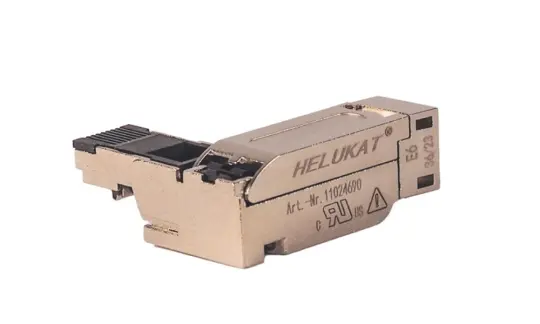
2.3 FastConnect RJ45 connectors (RJ45 Plug 180 và Plug 90)
FastConnect RJ45 connectors let you fit connectors directly on site. Installation is fast, and the connectors meet the PROFINET standard.
The Plug 180 has a straight cable outlet. The Plug 90 has a right-angled cable outlet to save space in the control cabinet. The compact, rugged design is suitable for devices in both industrial and office environments.
- Industrial-standard metal housing: gives the data transmission maximum protection against interference.
- 4 integrated insulation displacement contacts: simple connection to FastConnect cables, which helps avoid errors.
- No small loose parts: nothing can get lost, so the connector can be fitted even in difficult conditions.
- Point-to-point connections up to 100 m: connects two devices directly at 100 Mbit/s without a patch panel.
2.4 FastConnect RJ45 outlets (FC Outlet RJ45, 10/100 Mbit/s)
The FastConnect RJ45 outlet is the transition point between permanently installed industrial Ethernet cables and pre-assembled RJ45 patch cords that connect to devices.
- Rugged metal housing, suitable for industrial environments.
- Insulation displacement contacts for the fastest possible connection of FC cables.
- Flexible patch field: several outlets can be mounted in a row, for example 16 outlets across a 19-inch width.
- Mounting on a DIN rail or by screwing directly into the control cabinet.
A range of RJ45 patch cords is available for fast, error-free connection from the outlet to a switch or end device.
3. Benefits of ethernet cables with FastConnect technology
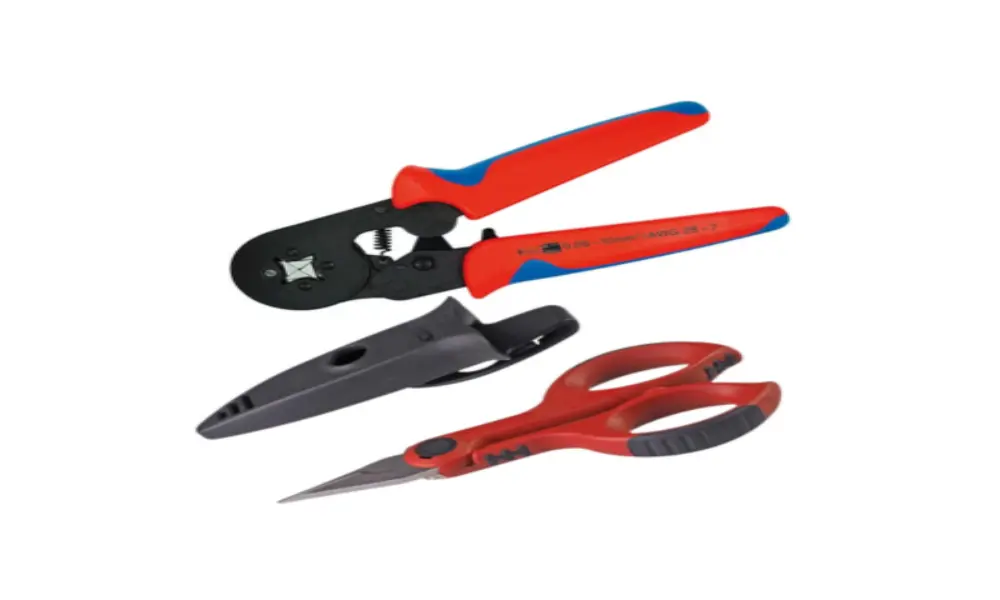
Cable termination and cutting tool
Compared with manual assembly using pliers and a knife, FastConnect makes fitting connectors faster, more accurate and more reliable. Here are the 5 main benefits.
3.1 Fast stripping saves installation time
With the traditional method, the cable has to be measured, the sheath cut, the screen trimmed and each core stripped before the connector can be crimped. Thanks to their special structure with an inner sheath, FastConnect Ethernet cables shorten this process:
- Outer sheath and screen stripped in one step: the FastConnect stripping tool removes the outer sheath and braided screen together, thanks to the inner sheath of the FastConnect cable.
- No need to measure the stripping length: the dimensions are preset on the tool.
3.2 Fewer connection errors
The fixed stripping length stops screen wires from touching the conductors. The transparent contact cover has printed color coding that clearly shows the position of each core. Even when the cover is closed, the installer can still see the core order and check it on the spot.
This reduces wrong core assignments and short circuits, two common causes of signal loss in PROFINET networks.
3.3 Reliable connection and stable screening
When the cover is closed, precision blades in the connector make direct contact with the conductors. At the same time, the cable is clamped to relieve strain on the contacts, and the screen makes firm contact with the connector's metal housing.
3.4 No special skills or tools needed
The whole process only needs the FastConnect stripping tool and a standard screwdriver. No crimping pliers or soldering iron are required. Color coding, preset tools and clear instructions help reduce installation errors.
Installers only need basic instruction to fit connectors correctly, and connection quality stays consistent from one installation to the next.
3.5 Flexible installation on site
With FastConnect, ethernet cables can be cut to exactly the length needed and are easy to route in tight spaces. You can pull the bare cable through cable trays, conduits or cable carriers first and fit the connector afterwards. This is difficult with pre-assembled cables. There is no excess cable in the control cabinet and less waste. The same stripping tool can be used for both 4-core (Cat.5) and 8-core (Cat.6) cables.
| Criteria | Traditional method | FastConnect |
| Tools | Pliers, knife, measuring tape, crimping tool | One preset stripping tool |
| Installation time | Long, depends on the installer's skill | Shorter |
| Risk of damaging cores or screen | High | Very low |
| Wiring errors | Pairs easily mixed up | Color coding on the connector |
| Skill required | Network technician | Electrician with basic instruction |
| Excess cable and waste | More | Less |
Discover the tools you need to properly crimp an Ethernet cable
4. Applications of FastConnect ethernet cables

FastConnect is suitable for most systems that require on-site industrial network connectivity
FastConnect is suitable for most systems that need on-site industrial network connections. Common applications include:
- PROFINET and Industrial Ethernet networks connecting PLCs, frequency inverters, HMIs, distributed I/O and industrial switches.
- Control cabinets and switch cabinets, where cables need to be cut to the exact length.
- Machine tools, robots and automated production lines, using flexible cables for cable carriers or torsional movement.
- Food and beverage, automotive, electronics and logistics plants, where networks must be expanded or repaired quickly to reduce downtime.
- Existing PROFIBUS systems that need maintenance or step-by-step upgrades.
5. FastConnect ethernet cables and solutions from HELU
HELU offers a complete FastConnect system from a single source: PROFINET and PROFIBUS cables, stripping tools, and RJ45 and Sub-D connectors. In the HELU ethernet cable catalogue , FastConnect-compatible products are marked SK (quick connection). These cables have a special structure so they can be stripped in one step with a FastConnect tool.
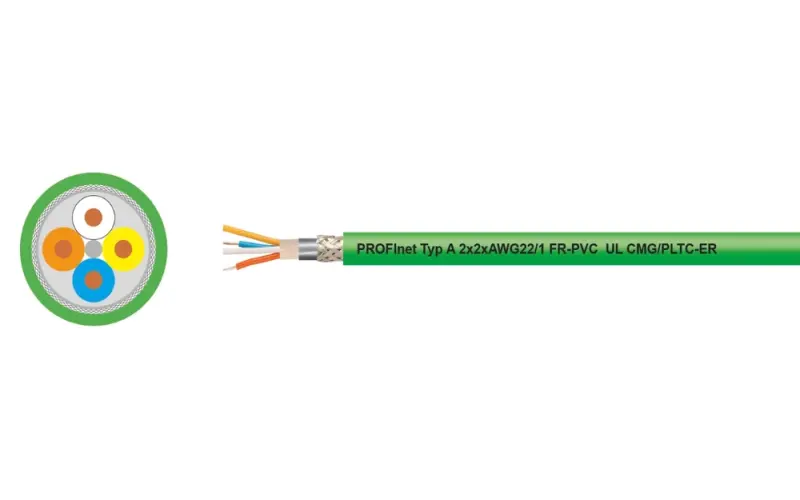
5.1 HELUKAT® PROFInet FastConnect cables
HELU's HELUKAT® PROFInet FastConnect cables share the same structure. This means one stripping tool and one connector type can be used for all three types:
- Type A: Fixed installation
- Type B: Flexible installation
- Type C: Continuous motion
All are Cat.5e SF/UTP 2x2xAWG22 cables with an outer diameter of 6.5 mm and cores twisted in a star quad. The cables have double screening (aluminium foil and tinned copper braid), comply with the PROFINET guideline, and most are UL certified.
| Products | Part no. | Conductor | Outer sheath | Applications |
| HELUKAT® PROFInet A CAT.5e SF/UTP PVC STATIC | 800653 | Solid, AWG22/1 | PVC | Standard applications, -40 to +80°C |
| HELUKAT® PROFInet A CAT.5e SF/UTP PVC STATIC PLTC-ER | 11018984 | Solid, AWG22/1 | PVC | DESINA-compliant product |
| HELUKAT® PROFInet A CAT.5e SF/UTP PUR STATIC | 801194 | Solid, AWG22/1 | PUR | Harsh environments, resistant to oil and coolants |
| HELUKAT® PROFInet A CAT.5e SF/UTP FRNC STATIC | 805653 | Solid, AWG22/1 | FRNC | Halogen-free, flame-retardant, low smoke |
| HELUKAT® PROFInet B CAT.5e SF/UTP PVC FLEX | 800654 | Stranded, AWG22/7 | PVC | Standard flexible use, -20 to +60°C when moving |
| HELUKAT® PROFInet B CAT.5e SF/UTP FRNC FLEX | 805654 | Stranded, AWG22/7 | FRNC | Halogen-free, flame-retardant |
| HELUKAT® PROFInet B CAT.5e SF/UTP FRNC SHIPLINE | 802185 | Stranded, AWG22/7 | FRNC | Marine and offshore installations (DNV approved) |
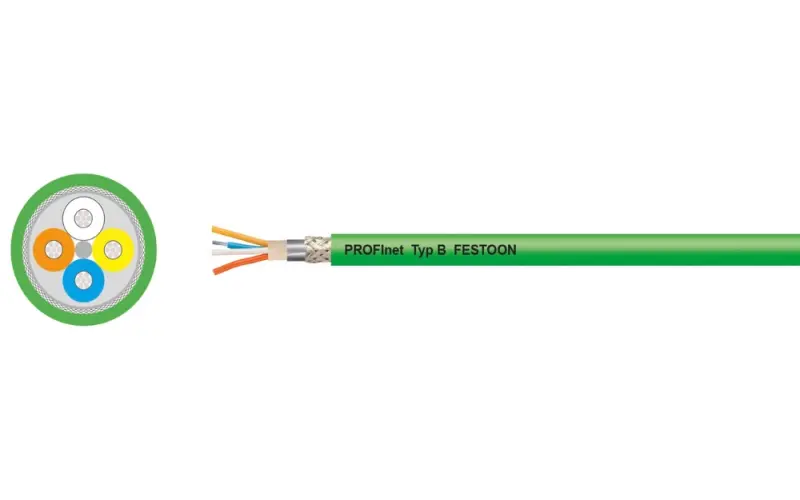
| HELUKAT® PROFInet B CAT.5e SF/UTP PVC FESTOON | 803295 | Stranded, AWG22/7 | PVC | Festoon applications |
| HELUKAT® PROFInet C CAT.5e SF/UTP PVC CHAIN | 802914 | Stranded, AWG22/7 | PVC | Drag chains, -10 to +70°C |
| HELUKAT® PROFInet C CAT.5e SF/UTP PUR CHAIN | 800655 | Stranded, AWG22/7 | PUR | Drag chains, -30 to +75°C, abrasion-resistant, UL CMX |
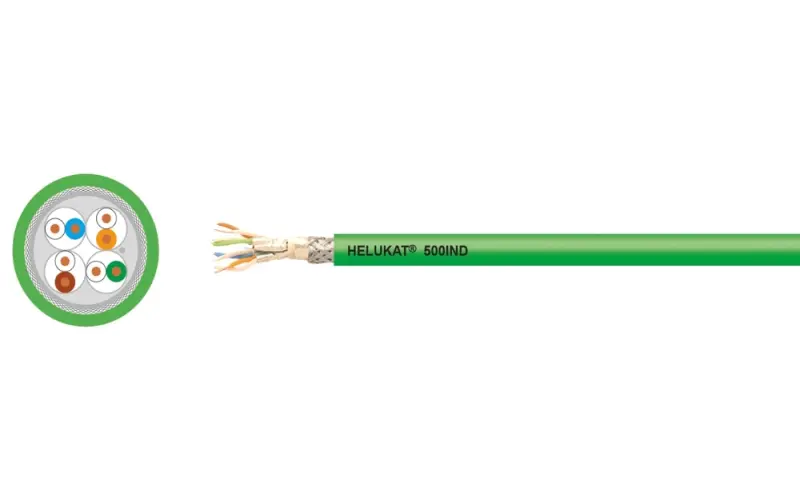
For networks that need more bandwidth, HELU offers the HELUKAT® 500IND CAT.6A SK S/FTP PVC STATIC Ethernet cable (part no. 803693). It is a 4x2xAWG22/1 cable with an outer diameter of 9.6 mm, is CC-Link IE Field certified and is FastConnect compatible.
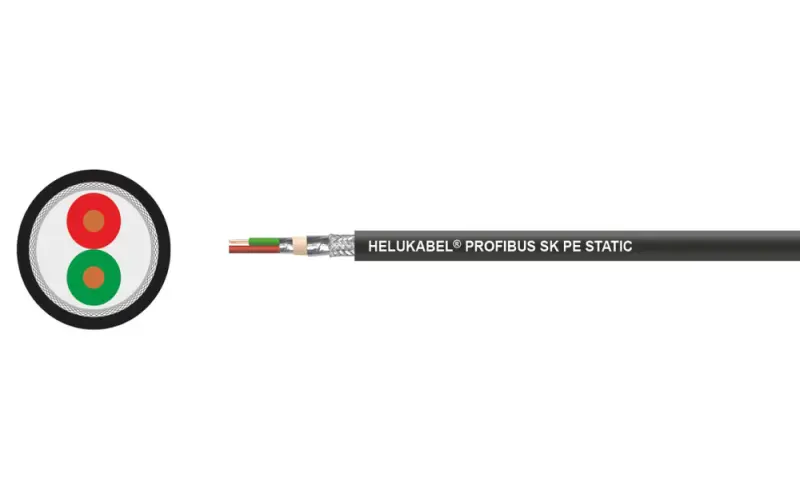
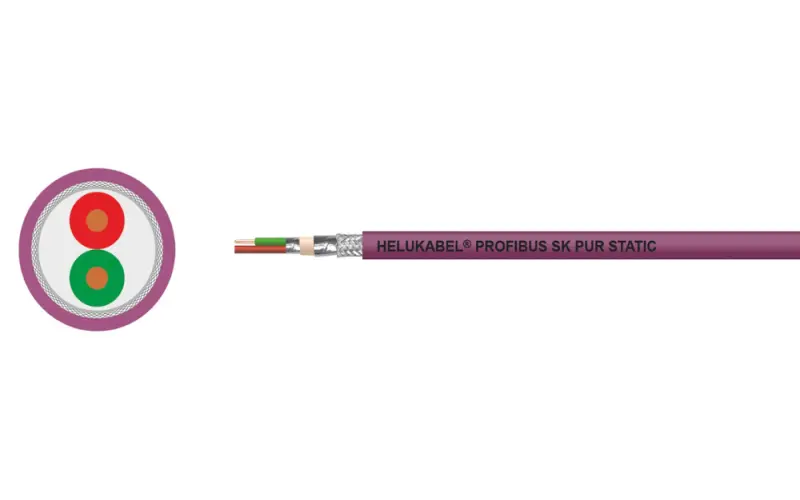
5.2 PROFIBUS SK bus cable
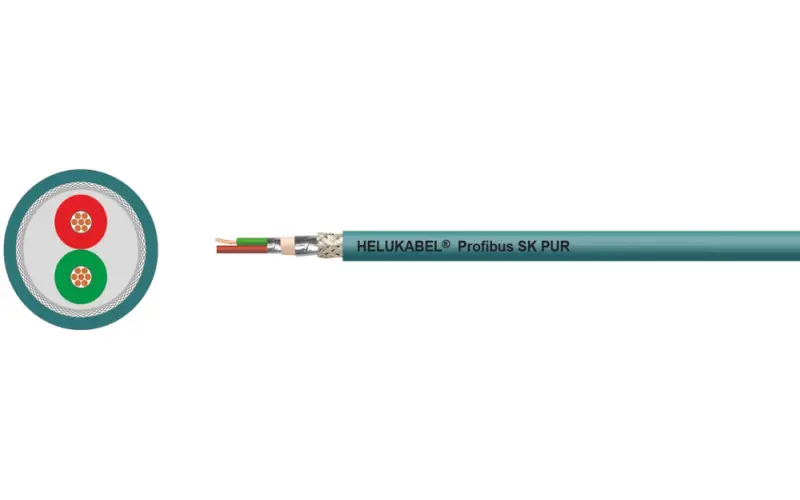
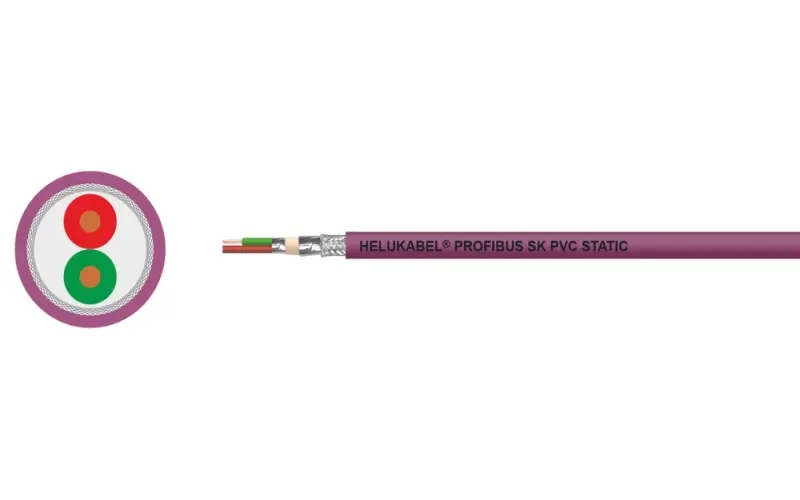
PROFIBUS SK bus cables are designed to be stripped with the Siemens FastConnect stripping tool, making it quick to expand and maintain PROFIBUS DP networks.
Most versions have a 1x2x0.64 mm structure (red and green cores). The cables have foam-skin PE insulation, double screening (aluminium foil and tinned copper braid) and a characteristic impedance of 150 Ω ± 10%. The outer diameter is approx. 8.0 mm, and the cables comply with PROFIBUS according to DIN 19245 Part 3 and EN 50170.
| Product | Part no. | Conductor | Outer sheath | Temperature | Applications |
| Profibus SK Indoor | 81903 | Solid, AWG22/1 | PVC, violet | -40 to +80°C | Indoor, standard equipment; UL CMG, CSA FT4 |
| Profibus SK Outdoor | 81904 | Solid, AWG22/1 | PE, black | -20 to +70°C | Outdoor, resistant to wind, weather and sunlight (not for direct burial) |
| Profibus SK FRNC | 81501 | Solid, AWG22/1 | FRNC, violet | -25 to +70°C | Buildings requiring halogen-free, flame-retardant cables |
| Profibus SK Robust | 81905 | Solid, AWG22/1 | PUR, violet | -40 to +70°C | Industrial environments, resistant to mineral oils, greases and coolants |
| Profibus SK 7-wire PVC | 805656 | Stranded, AWG24/7 | PVC, violet | -40 to +80°C | Standard mobile applications |
| Profibus SK 7-wire FRNC | 805657 | Stranded, AWG24/7 | FRNC, violet | -5 to +50°C | Mobile applications, halogen-free |
| Profibus SK drag chain | 801659 | Stranded, AWG24/19 | PUR, violet | -40 to +70°C | Continuous movement in drag chain, bending radius 100 mm, UL CMX |
| Profibus SK drag chain | 81906 | Stranded, AWG24/19 | PUR, petrol |
5.3 Stripping tools
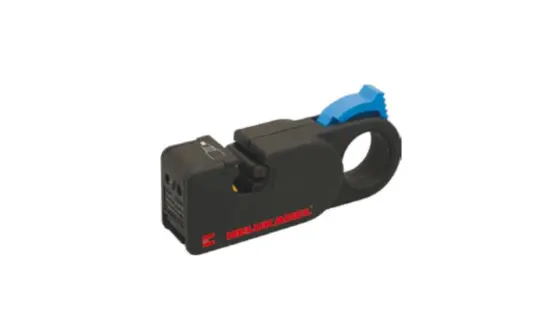
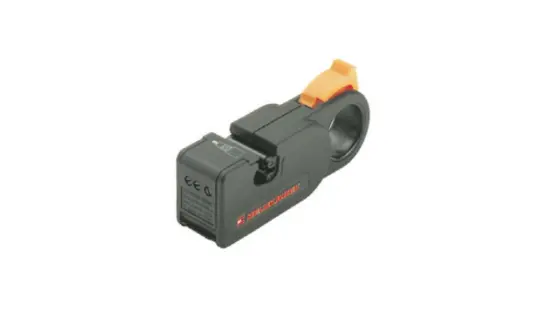
HELU stripping tools are preset for each SK cable range and strip the sheath and braided screen in a single step.
- PROFInet SK Stripping Tool (part no. 801497): strips PROFINET Type A, B and C cables with a nominal outer diameter of 6.5 mm in one working cycle.
- PROFIBUS SK stripping tool (part no. 81233): for PROFIBUS SK cables.
5.4 FastConnect RJ45 connectors
HELU's range of FastConnect connectors includes two groups: RJ45 connectors for PROFINET cables and Sub-D connectors for PROFIBUS bus cables. Both are fitted directly on site to stripped SK cables, with no pre-assembly needed.
An RJ45 connector is the standard Ethernet plug. It plugs into the network port of PLCs, frequency inverters, HMIs, switches and other PROFINET devices. HELU's FastConnect version has a screened metal housing and 4 contacts for 2x2 cables. It fits cables with an outer diameter of 6.3–6.7 mm and AWG22–24 cores, complies with PROFINET and is UL certified.
| Part no. | Cable exit | When to use |
| 11024689 | Straight (180°) | For use with 24 AWG or 22 AWG Ethernet cables, solid or stranded |
| 11024690 | 90° angle | |
| 11017443 | 145° angle |
5.5 Sub-D PROFIBUS SK connectors
A Sub-D connector is a 9-pin, D-shaped plug that connects to the PROFIBUS DP port (RS 485) of PLCs, frequency inverters and distributed I/O. These connectors are designed for SK/FC cables. They have a metal housing and a switchable terminating resistor, and support transmission rates up to 12 Mbit/s. They comply with IEC 61158 and IEC 61784 and are rated for at least 200 mating cycles.
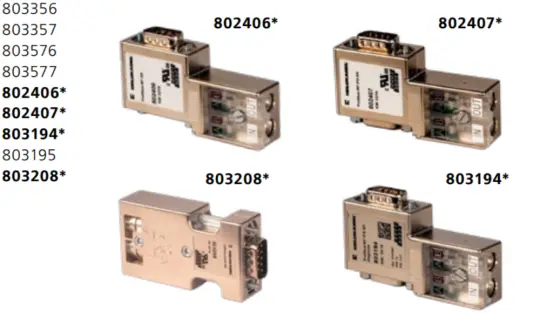
| Code | Cable exit | Programming port (PG) | Diagnostic LED | Core |
| 803356 | 45° | – | – | Solid |
| 803357 | 45° | Yes | – | Solid |
| 803576 | 45° | – | – | Stranded |
| 803577 | 45° | Yes | – | Stranded |
| 802406 | 90° | – | – | Solid/stranded |
| 802407 | 90° | Yes | – | Solid/stranded |
| 803195 | 90° | – | Yes | Solid/stranded |
| 803194 | 90° | Yes | Yes | Solid/stranded |
| 803208 | Axial (180°), toward the rear | – | – | Solid/stranded |
The programming port (PG) lets you connect a programming or diagnostic device without interrupting the running PROFIBUS network.
HELU also offers IP67 D-coded M12 connectors (805966, 806205, 805967) for on-site assembly with PROFINET SK cables, for devices that need a higher degree of protection.
Explore our range of PROFIBUS Plugs
UL/CSA-certified and CE-compliant
6. How to install a FastConnect RJ45 connector
This section explains how to fit HELU's 145° PROFINET RJ45 connector (part no. 11017443) to a HELUKAT® PROFInet SK cable. You will need the following items to fit the RJ45 connector to a FastConnect ethernet cable:
| Items | Requirements |
| Cable | 4-core PROFINET cable, AWG24 or AWG22, maximum outer diameter 6.7 mm (e.g. HELUKAT® PROFInet Type A/B/C, 6.5 mm) |
| Cable length | Up to 100 m |
| Stripping tool | PROFInet SK Stripping Tool (part no. 801497) |
| Other tools | Small screwdriver (optional, makes it easier to tighten the cap) |
| Installation environment | Indoors, dry, operating temperature -30 to +70°C, protection class IP20 |
Step 1: Strip the cable
Use the PROFInet SK stripping tool (part no. 801497). The tool strips PROFINET Type A, B and C cables (6.5 mm outer diameter) in one working cycle. The stripping length is preset, so you do not need to measure with a ruler. With the FastConnect system, stripping involves the following actions:
- Position the cable end: place the cable end in the stripping tool against the built-in guide so that the correct length is stripped.
- Cut the cable end with the stripping tool: the cutting depth is preset, so the blades cut only the layers that need to be removed and do not touch the cores.
- Remove the outer sheath to expose the braided screen: pull the cut section of sheath off the cable. The exposed screen makes contact with the metal housing of the connector to ground the screen.
- Remove the inner filler (if present): remove any filler or spacer between the cores.
- Untwist and straighten the cores: separate the cores and straighten them, ready to insert into the connector.
Step 2: Arrange the cores by color code
Lay out the cores according to the color coding on the contacts of the RJ45 connector. The color coding helps prevent wrong pair assignments.
Step 3: Insert the cores into the contacts
Insert each core into its contact as far as the limit stop. You do not need to strip the insulation from the individual cores.
Step 4: Press the contacts down to make the connection
Press the contacts down as far as the limit stop. The IDC blades cut through the insulation and make direct contact with the conductor, completing the electrical connection.
Step 5: Close the cover and lock the connector
Close the housing cover, then turn the sealing piece in the direction of the arrow. For better leverage, insert a small screwdriver into the hole in the sealing piece. The connector is correctly locked when the screw cap is firmly tightened.
Removing the connector from a device
Push the connector fully into the port to relieve the mechanical load on the latch. Then press the release spring down at the marked position and pull the connector out.
Installation notes:
- Check the contacts: pay close attention to correct contact of the cores when installing the cable and when plugging in or unplugging the connector.
- Use as intended: if the connector is used in a way not specified by the manufacturer, the protection it provides may be impaired.
- Scope of use: the connector supports transmission rates up to 100 Mbit/s and can be used for PROFINET, Modbus and EtherCAT.
- If you have problems: always check the latest HELU installation instructions first.
7. Frequently Asked Questions about FastConnect ethernet cables
No. FastConnect was developed by Siemens, but many cable manufacturers, including HELU, make compatible cables. The cables can be used with any PROFINET or Industrial Ethernet device.
It is not recommended. Standard cables do not have an inner sheath or standardized dimensions, so the stripping tool can easily damage the cores or the screen.
SK is HELU's designation for FastConnect-compatible products. SK cables have a special structure so they can be stripped in one step with a FastConnect tool. SK connectors can be fitted directly to these cables.
Yes. PROFIBUS SK cables have a special structure for processing with the Siemens Fast Connect stripping tool. HELU also offers its own stripping tools: 801497 for PROFINET SK and 81233 for PROFIBUS SK.
HELUKAT® PROFInet SK 2x2 cables are Cat.5e, with a frequency of up to 100 MHz and a maximum transmission rate of 100 Mbit/s. The HELUKAT® 500IND CAT.6A SK 4x2 cable (803693) is designed for 10 Gigabit Ethernet applications, with a frequency of up to 500 MHz. Profibus SK cables transmit PROFIBUS DP signals at up to 12 Mbit/s.