4 Steps to Correct PROFINET Cabling: Cables, Connectors & Tools
From planning to commissioning, learn how you can greatly simplify PROFINET installations using optimally tailored cables, connectors, and tools.

Article content:
Quick summary:
4 steps to correct PROFINET cabling:
(1) Select the cable based on the type of movement: Type A for fixed installations, Type C for drag chains.
(2) Select the connectors based on the environment: RJ45 IP20 for control cabinets, M12 IP67 for the field.
(3) Assemble using specialized tools.
(4) View the cable, connectors, and tools as a comple system, then thoroughly inspect the entire setup before putting it into operation.
Reliable industrial communication begins with the right connection technology. But which PROFINET cables are suited to which application? Which connector is the right one? And what does successful assembly depend on? We will show you what is important from planning to completed connection and why it is worth it to view cables, connectors, and tools as a complete system.
PROFINET: Industrial Ethernet for modern automation
PROFINET is a communication standard based on industrial Ethernet that is primarily used in machine and systems automation. Controls, decentralised I/O systems, drives, sensors, and other field devices exchange data over this network.
Compared to classical field buses like PROFIBUS, PROFINET is based on Ethernet technology. High transmission speeds, short reaction times, and flexible network structures turn the standard into an important basis for modern automation solutions. However, in order to ensure reliable communication even under demanding industrial conditions, the appropriate physical infrastructure needs to be in place. This means that cables, connectors, and tools must be suited to the application and to each other.
👉 Learn more: What is PROFINET? Top 4 PROFINET cables for industrial networks
4 Steps for proper PROFINET cabling
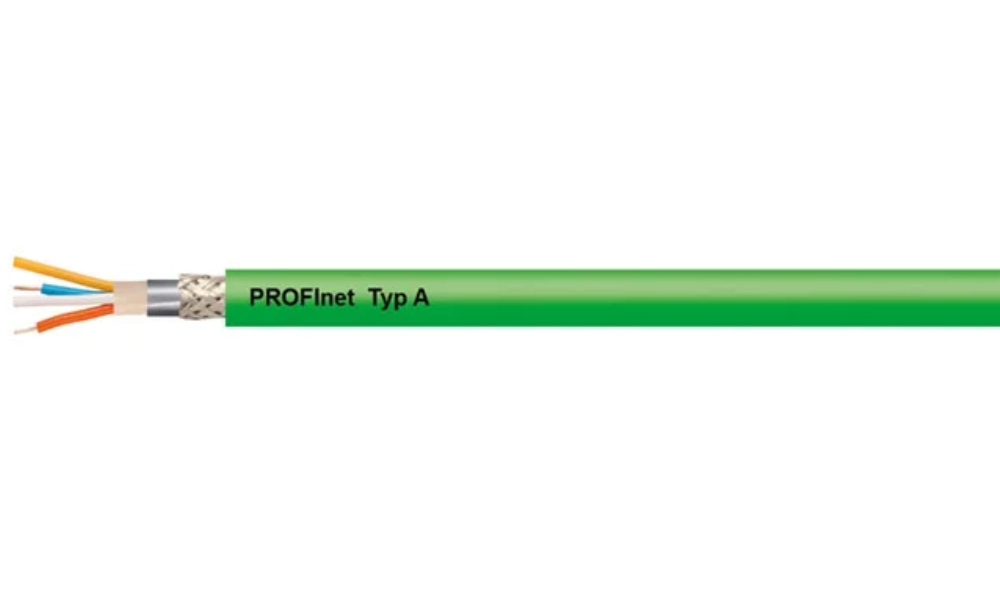
HELUKAT® PROFInet A CAT.5e SF/UTP PVC STATIC green cable, 2 x 2 x AWG 22 /1
Step 1: Which type of PROFINET cable should you choose?
Select the cable based on the application’s motion type. For fixed installations, use Type A cable; for continuous motion in a cable chain, use Type C cable with a PUR jacket. Additionally, consider the bending radius, temperature, and the presence of oil and chemicals in the installation environment.
The first question to ask is where the cable will be used. Permanently installed PROFINET cables must fulfil other requirements than cables that are constantly in motion.
- Permanent installation in industrial environments: Use HELUKAT® PROFInet A CAT.5e SF/UTP PVC STATIC green 2 x 2 x AWG 22/1 , with PVC outer jacket.
- For highly dynamic applications in drag chains: Use HELUKAT® PROFInet C CAT.5e SF/UTP PUR CHAIN green 2 x 2 x AWG 22/7 , featuring a durable PUR jacket, suitable for applications involving frequent movement.
In addition to the type of movement, bending radii, temperatures, oils and other media, as well as environmental conditions should be considered when making a selection. This way, suitable cables are chosen for the given application from the very beginning.
| PROFINET cable type | Installation type | Typical sheath | Typical applications |
| Type A | Fixed installation, non-moving | PVC, FRNC | Control cabinets, cable trays, fixed cable runs |
| Type B | Flexible, with occasional travel | PVC, PUR | Machines that vibrate or sometimes move |
| Type C | Continuous motion | PUR | Drag chains |
| R+ (robotic) | Continuous motion with torsion | PUR | Industrial robots |
👉 See details: List of PROFINET Cables by Installation Type
Step 2: Should you use an RJ45 or M12 connector?
RJ45 IP20 connectors are suitable for control cabinets. M12 IP67 connectors are suitable for field applications where dust, water, or vibration are present.
The application also influences the connection technology. In protected control cabinets, there are different requirements than with installations directly in the field where, for example, dust, moisture, or vibrations may come into play.
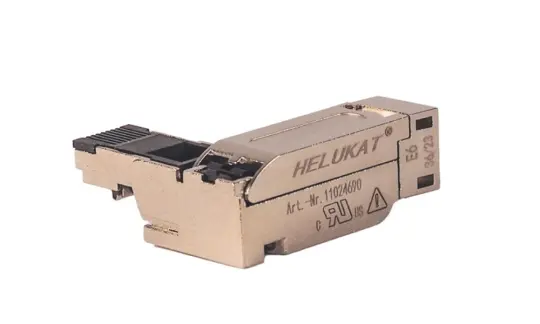
- Inside the control cabinet: Use the PROFINET® Quick Contact (SK) RJ45 Plug 180° metal IP20 Cat5 connector, designed for field assembly. This IP20 RJ45 connector can be assembled without tools and supports data transfer rates of up to 100 Mbit/s.
- Harsh environments: HELU offers a range of more robust solutions, such as the PROFInet Copper Connector M12 with straight pins (4 pins, Ø1.0–1.6 mm, AWG 22–26) . This M12 connector features a straight design and an IP67 protection rating.
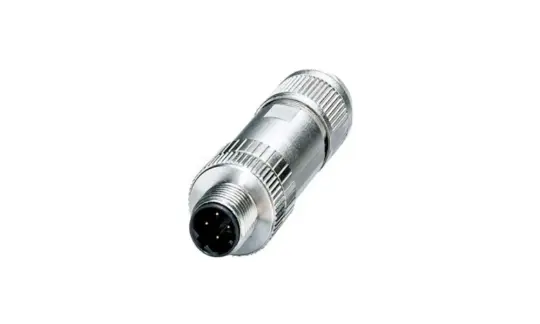
| Criteria | RJ45 IP20 | M12 IP67 |
| Installation location | Inside the control cabinet | Off-site, near the machine |
| Dust and water resistance | Low | High (IP67) |
| Vibration resistance | Average | Good (threaded lock) |
| Assembly | Quick and tool-free | On-site assembly |
👉 Note: Do not select the cable and connector separately. They are only able to create a reliable connection when both components are suited for the application and for one another.
Step 3: What tools are needed to assemble a PROFINET cable?
From stripping insulation and preparing the screen to positioning the cores and mounting the connector, clean and reproducible workmanship is critical in field assembly.
Each step requires precise and consistent execution. The right tools make the job easier and help minimize errors. HELU offers the HELU-SKABI, a cable stripping tool specifically designed for Industrial Ethernet cables.
For anyone regularly working with PROFINET connections, this can simplify installation and save valuable assembly time.
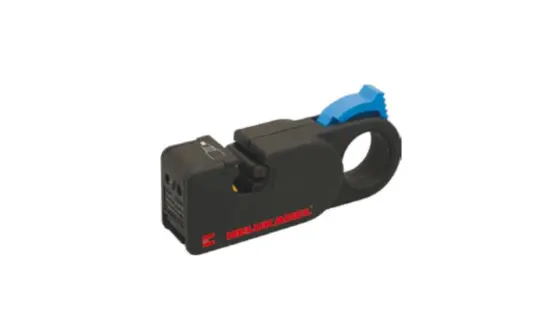
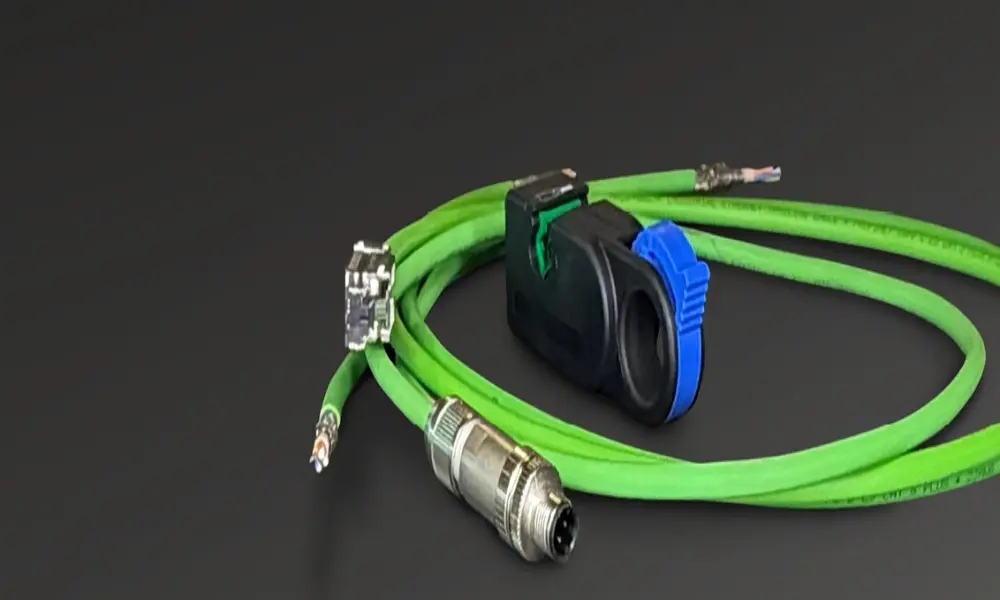
HELU provides everything you need for a PROFINET cabling system, from cables and connectors to assembly tools
Step 4: Why should you choose matching cables, connectors, and tools?
A PROFINET connection is only ever as good as the interplay between its individual components. That is why it is important to view cables, connectors, and tools as a complete system from the very start.
This approach offers many immediate benefits:
- It's easier to choose a product when the components are compatible.
- It provides a foundation for stable data transmission.
- Quick and cost-effective installation.
- Fewer points of contact during the selection and purchasing process.
During installation, you must follow several key guidelines:
- Maintain the specified bending radius.
- Avoid applying mechanical stress to the cable.
- Run the cables and connect the shielding layer according to proper procedures.
Before commissioning, a final check should confirm that all connections have been made properly and that communication is working as expected.
PROFINET Campaign: 10% Discount on selected PROFINET products
10% off selected PROFINET cables, connectors, and tools during the promotion period. Note: Does not apply to customers with special terms. Promotion period: November 28, 2026–December 11, 2026
Contact HELU Vietnam today to learn more about the program
5 common mistakes when wiring PROFINET
Many PROFINET network issues—such as intermittent disconnections, data transmission errors, or signal interference—do not stem from the devices themselves but rather from the cable installation process. Below are the five most common issues and how to prevent them.
1. Bending the cable to a radius smaller than the allowable bending radius
To route cables neatly inside an electrical cabinet or through a tight corner, many people bend the cables excessively. This causes the twisted-pair conductors and the shielding layer to deform, altering the cable’s impedance and causing signal loss. This issue usually does not become apparent immediately but develops gradually during operation.
Solution: Adhere to the minimum bending radius specified in the cable datasheet. For cables moving within a cable chain, the required radius is typically larger than for fixed installations. The bending radius should be calculated in advance during the design phase of the electrical cabinet and cable route.
2. Tightening the cable tie too tightly
Tightening the cable tie too tightly will deform the cable jacket and displace the internal core structure. At cable tie points, impedance changes locally and may cause signal reflection.
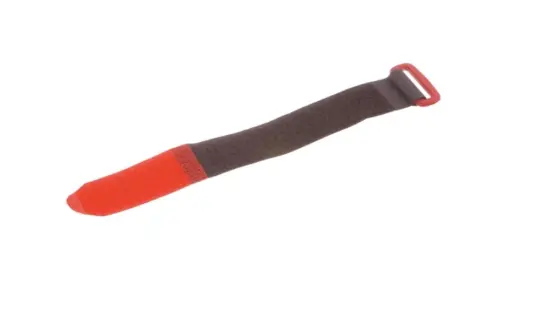
Solution: Secure the cable just enough to keep it in place; do not tighten it so much that the cable jacket becomes dented. Use Velcro cable ties whenever possible, as they provide even tension and are easy to remove and reinstall during maintenance.
3. Run the PROFINET cable in parallel with the power cable
Power cables, especially those supplying power to motors and inverters - generate strong electromagnetic fields. Running PROFINET cables close to and parallel with power cables over long distances will cause signal interference (EMI) . This results in data transmission errors or intermittent disconnections, which are very difficult to troubleshoot.
Some solutions include:
- Keep the PROFINET cables and power cables separate.
- If they must intersect, the two lines should intersect at a 90° angle.
- Use cable trays for horizontal runs and conduit for vertical runs to ensure the cable layout is clear and organized.
- Connect the shielding layers properly using metal-clad connectors with 360° shielding contact. A floating shield that is not grounded can cause interference rather than prevent it.
4. Mixing different types of cables on the same line
Connecting office network cables to PROFINET cables, or mixing cables of different categories (Cat.) and different structures on the same run, will create impedance mismatches. In addition, office cables are not designed to withstand oil, vibration, and electromagnetic interference in a factory environment.
To resolve this issue, use dedicated PROFINET cables that are consistent throughout the entire line and select the correct type for your application:
- HELUKAT® PROFInet A PVC-jacketed cable for permanent installation.
- HELUKAT® PROFInet C with PUR jacket for continuous movement in drag chains.
5. Skip the strain reliefs
Without cable retention hardware, any tensile force, vibration, or movement of the cable is concentrated at the contact point within the connector. Over time, the conductor core becomes loose or breaks right at the connector. This failure is particularly common in machinery subject to vibration.
Solution: Install strain relief fittings at the points where the cables enter the equipment and at the connectors. In the field, use M12 IP67 connectors with threaded locks for a more secure connection.